10 Hermes Agent Hacks to Save 15+ Hours Weekly
Most people use Hermes Agent as a glorified chat client. They open a terminal or a Telegram window, type a quick prompt, wait for a response, and close the session. By treating it purely as a request-response utility, developers leave more than 90% of the agent’s actual operational leverage on the table.
This guide outlines ten advanced hacks and structural configurations designed to transform Hermes from a manual chat assistant into a 24/7 background operating layer. If you execute a workflow more than once, it can be standardized, modularized, and automated.
TL;DR: We map 10 production-proven setups—including time-based crons, webhook triggers, structured /goal boundaries, parallel sub-agents, and workspace isolation—to scale your weekly savings by over 15 hours.
1. The Operational Bottleneck: The Chat App Trap
In manual setups, humans act as the polling mechanism. You must remember to check Notion, fetch GitHub updates, compile news briefs, and manually paste them into the LLM to get a summary.
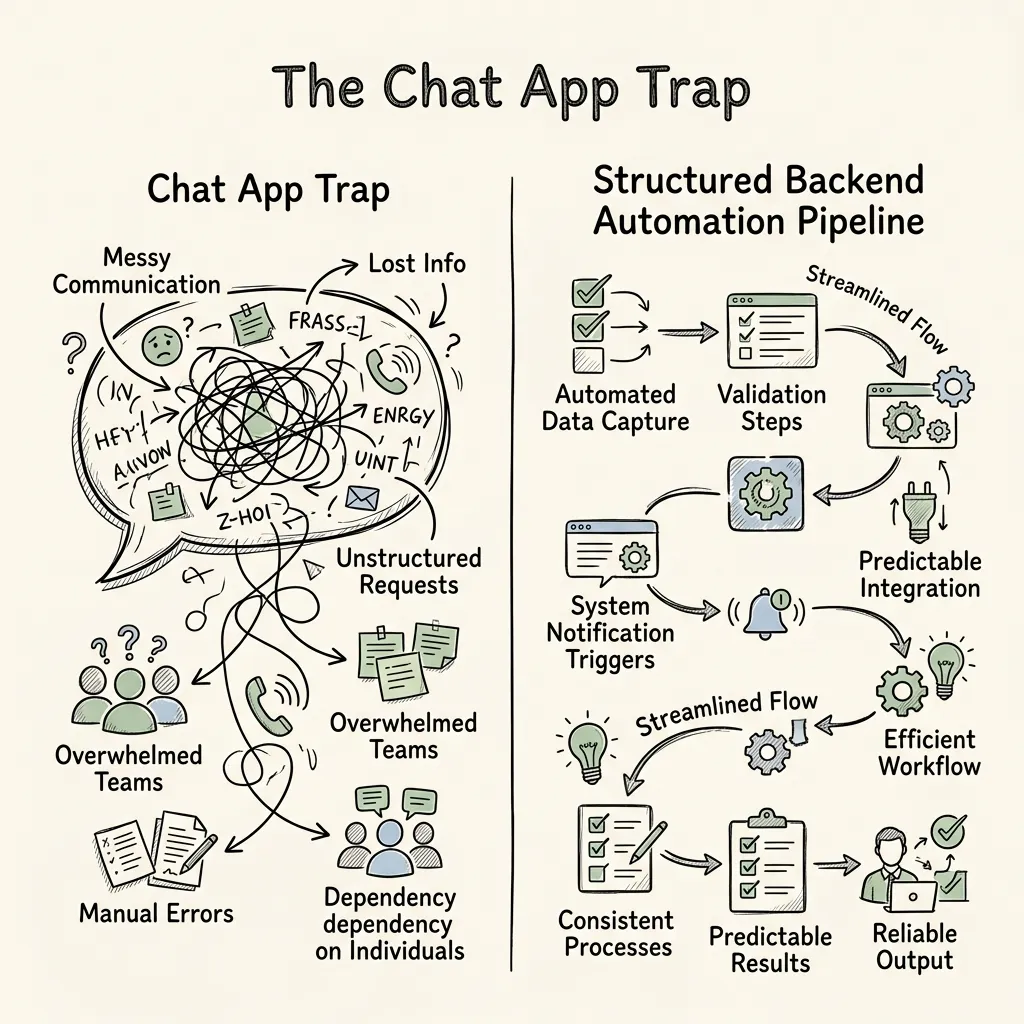
This manual polling introduces significant latency and cognitive overhead:
- Context Overload: Re-introducing the same prompts and context files into a single, rolling chat session causes attention drift in the model.
- Dead-Time Zones: Information shifts (e.g., a competitor publishing a blog or a bug report landing in a repo) remain unaddressed until the developer manually initiates a session.
- Lack of Visibility: When running long operations, progress is obscured inside rolling chat text instead of being categorized into state boards.
The resolution requires moving away from manual prompts toward a systemic architecture of event triggers, isolated workspaces, and background cron loops.
2. Core Concept: The Structured /goal Command
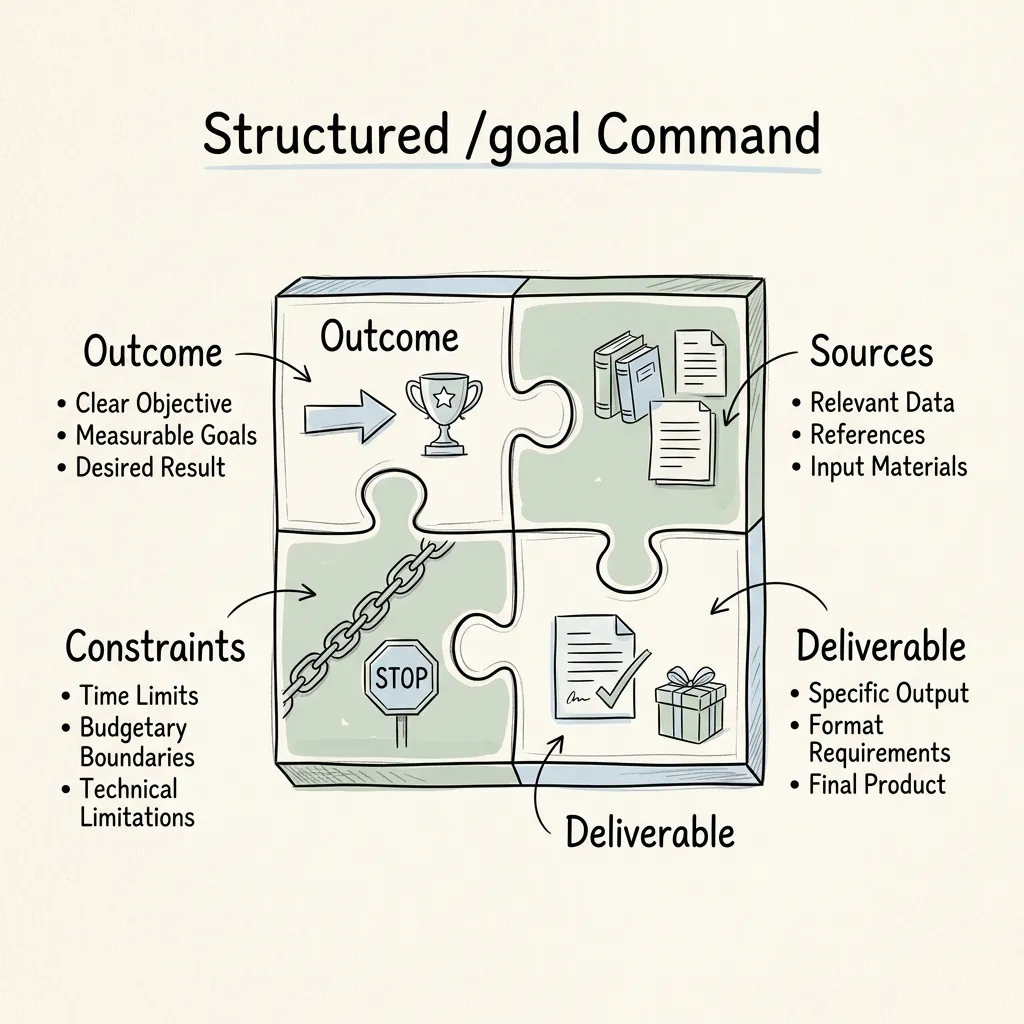
Unlike standard prompts that request a single immediate text output, the /goal command defines a multi-turn objective that the agent works toward autonomously until completion.
To prevent vague, meandering reasoning runs, goals must be defined using a strict structural template:
/goal [OUTCOME]
using [SOURCES]
with constraints: [CONSTRAINTS]
deliverable: [DELIVERABLE]
Goal Structuring Prompt Template:
- Outcome: Defines the precise condition that tells the agent when to stop.
- Sources: Specifies which tools, file paths, or local workspace directories to read.
- Constraints: Imposes guardrails, style rules, or API call limits to control inference costs.
- Deliverable: Specifies the exact file format, table structure, or destination channel.
If you are unsure how to frame a goal, you can force Hermes to draft the command using the Interview Hack:
I want to use /goal but I don't want a vague goal.
Interview me with only the questions you need.
Then turn my answers into the strongest possible
/goal command containing outcome, context, sources,
constraints, deliverables, and termination criteria.
3. Underlying Architecture: Waking Cycles & Triggers
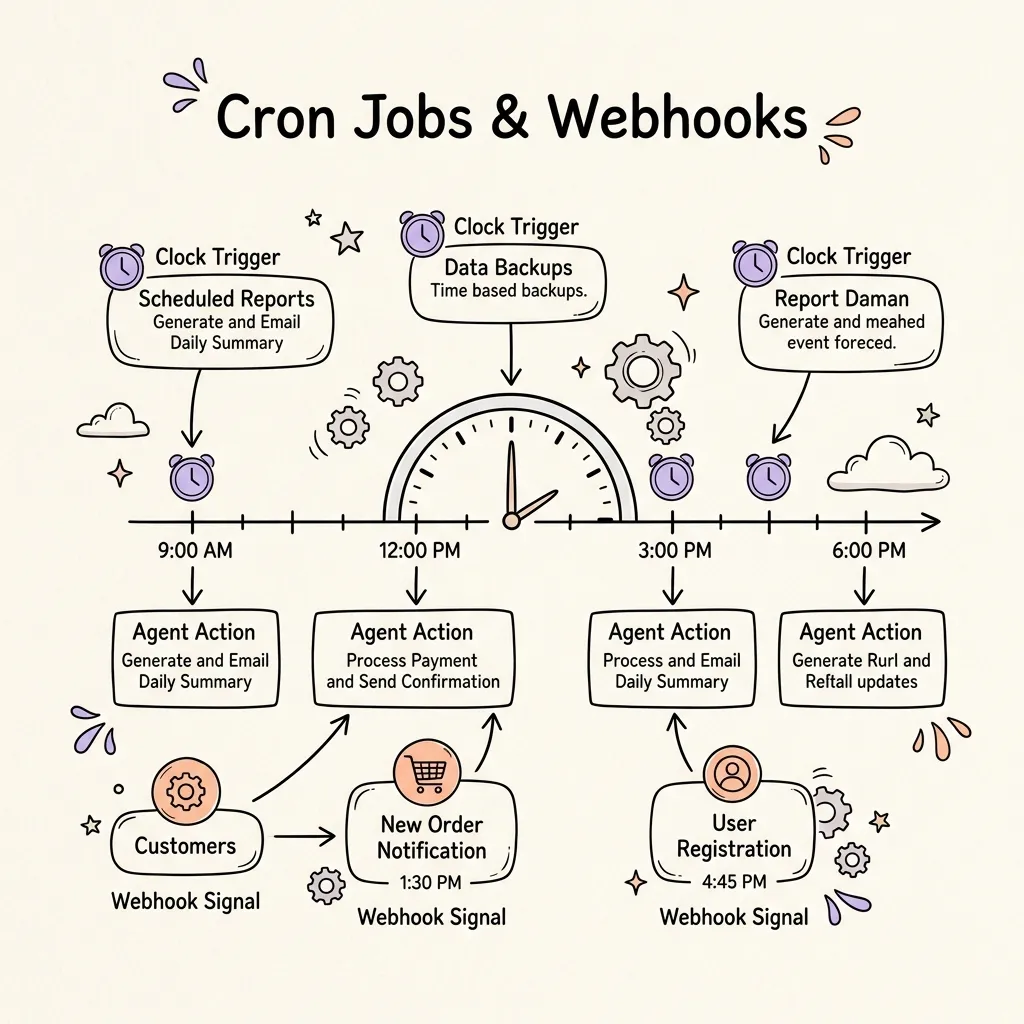
To automate work while you sleep, Hermes utilizes two distinct wakers to break the manual chat cycle: Time-based Cron Jobs and Event-based Webhooks.
Time-Based Cron Jobs
Cron jobs react to the clock. Instead of manually requesting a daily digest, configure Hermes to run background checks at scheduled intervals. Because Hermes understands plain-English scheduling, you can bypass crontab formatting entirely:
Schedule a cron job every morning at 8am:
Research the top trending AI repositories on GitHub.
Synthesize their readmes and write a 3-sentence brief.
Send the brief to Telegram.
Event-Based Webhooks
Webhooks react to events. When a state changes in a third-party application (e.g., a Notion card shifts, a webhook payload is fired via n8n, Make, or Zapier), the Hermes gateway receives the POST request and instantly instantiates a dedicated goal.
Example Notion Webhook Trigger Workflow:
n8n Webhook Listener (Notion Card Moved to "To Film")
  └── POST payload to http://localhost:9119/webhook/notion
        └── Hermes /goal instantiation:
            "Research the Notion card topic, generate a brief, and send it to Telegram."
4. State Management: The Kanban Board & Workspace Segregation
Managing multiple concurrent background goals requires a clean state-management protocol. To prevent context bleeding—where details from a coding task corrupt a marketing brief—you must partition workspaces.
Workspace Segregation via Telegram Topics
If you interact with Hermes via Telegram, enable Topics within your agent group. Each topic becomes a separate context thread:
YouTube Topic: Planning, briefs, and scripts.Coding Topic: PR reviews, debugging logs, and CLI scripts.Research Topic: Competitor analysis and academic paper summaries.
The Kanban Task Manager
Every /goal instantiated in Hermes automatically becomes a card on the internal SQLite-backed Kanban Board.
/goal research competitors ──> Card in [Triage] ──> Auto-assigned to Worker ──> [Running] ──> [Done]This board enforces worker health checks, detects crashed “zombie” tasks, and re-allocates blocked processes.
5. Cross-Platform Operations: CLI, Desktop & Dashboard
Hermes provides three interface surfaces that interact with the same local data directories and SQLite database.
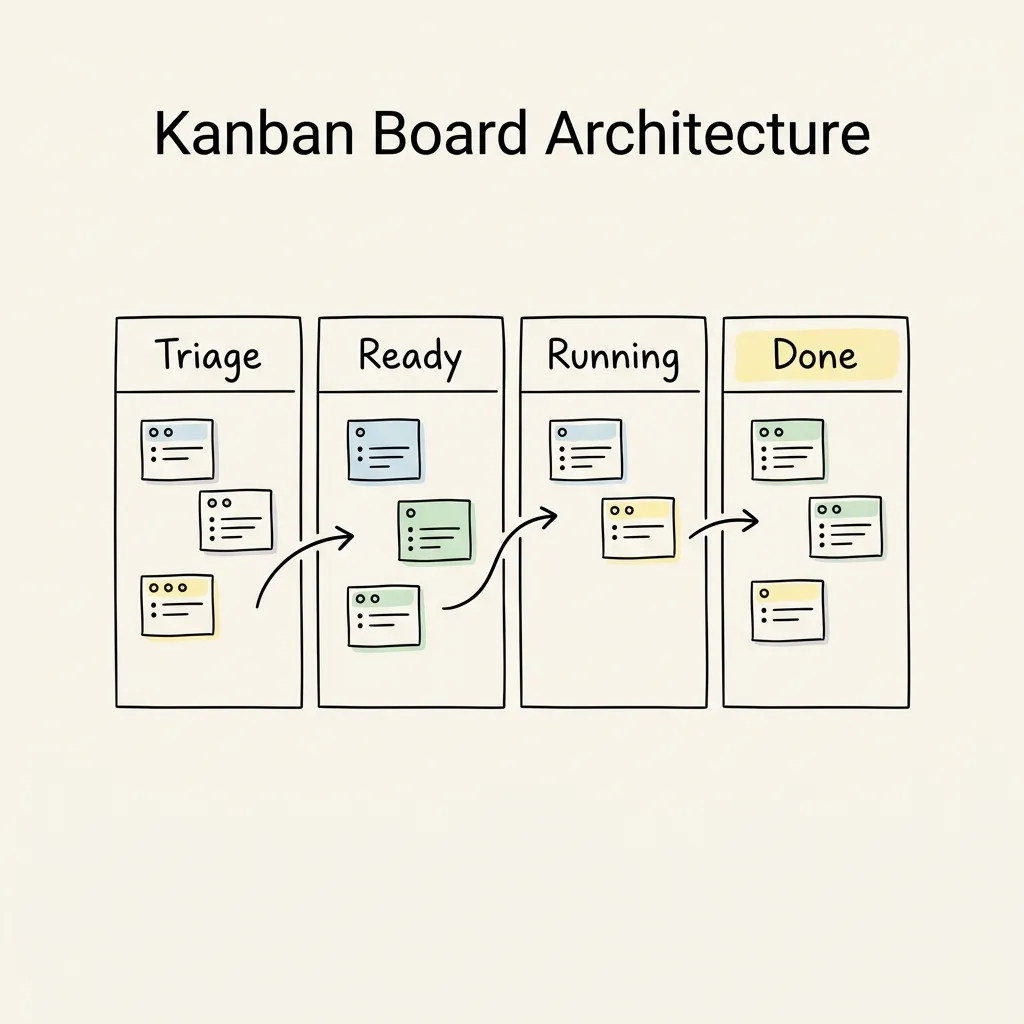
1. Mission Control Dashboard
Launch the built-in browser dashboard to manage profiles, audit active cron schedules, modify skills, and visually drag cards on your Kanban Board:
# Launch the dashboard locally
hermes dashboard
Accessible by default at http://localhost:9119.
2. The Unified Setup Portal
To link an agent across Telegram, CLI, and desktop with a single step, bypass manual API key generation by using the OAuth portal:
# Authorize web search, image generation, and cloud browser access
hermes setup --portal
3. Native Desktop App
For multi-window setups, the native Desktop app provides side-by-side markdown previews, an integrated file explorer, and native voice-to-text inputs.
6. AI Agent Integration: Parallel Sub-Agent Workflows
A single agent reasoning over multiple distinct datasets faces context limits and token dilution. For complex research pipelines, the optimal architecture uses a dispatcher-worker model by spawning parallel Sub-Agents.
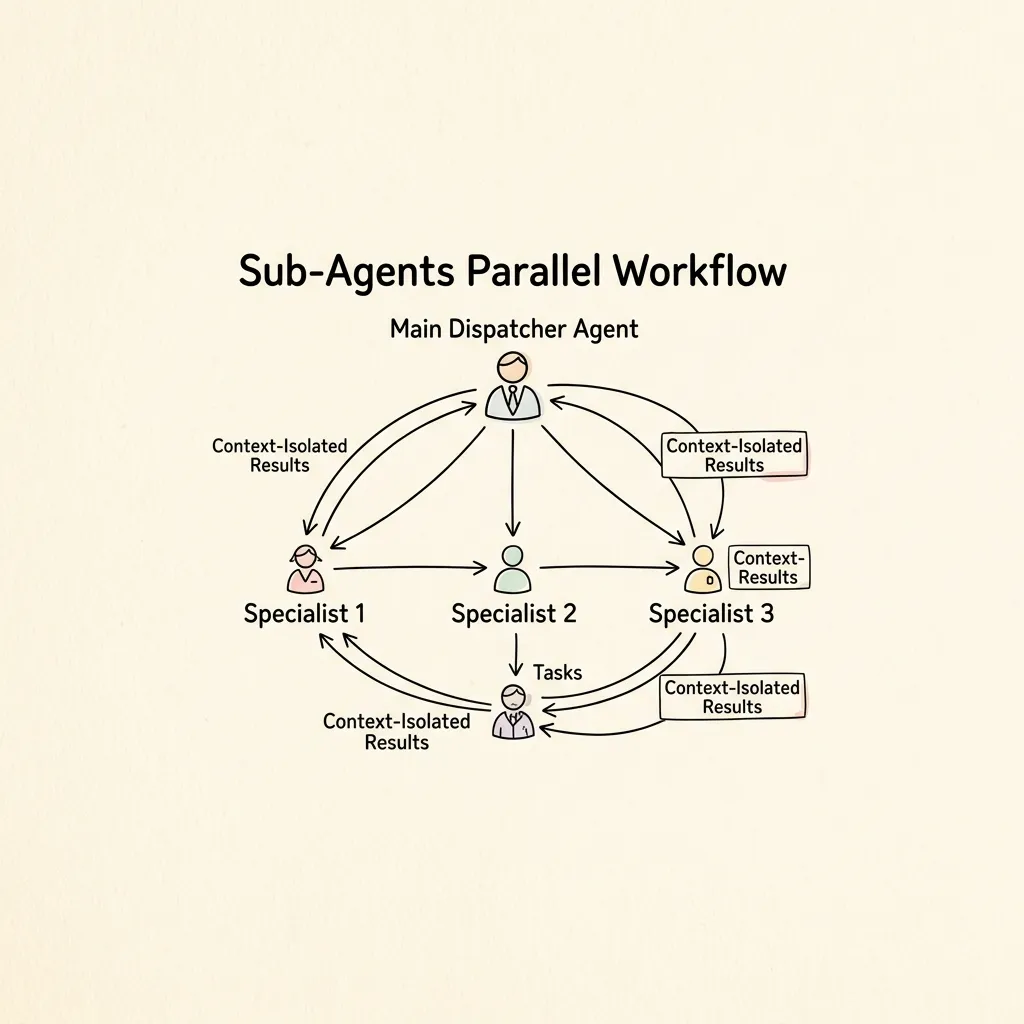
Each sub-agent runs inside an isolated context, searches a specific source, compiles its findings, and returns only its summarized payload to the main thread.
Content Angle Sub-Agent Dispatcher Goal:
/goal research the strongest content angle for this week.
spawn 3 sub-agents:
  1. Scan X for trending posts in our niche, pull engagement metrics.
  2. Parse the last 30 days of our post analytics, find high-performing patterns.
  3. Scrape competitor blog URLs, identify outlier content in the last 7 days.
Combine all three sub-agent deliverables into a single recommendation report.
7. Modular Reuse: Skills as Executable SOPs
To prevent system instructions from growing into unmanageable text files, standard workflows should be written as Skills. A skill is an executable Markdown SOP stored locally in ~/.hermes/skills/.
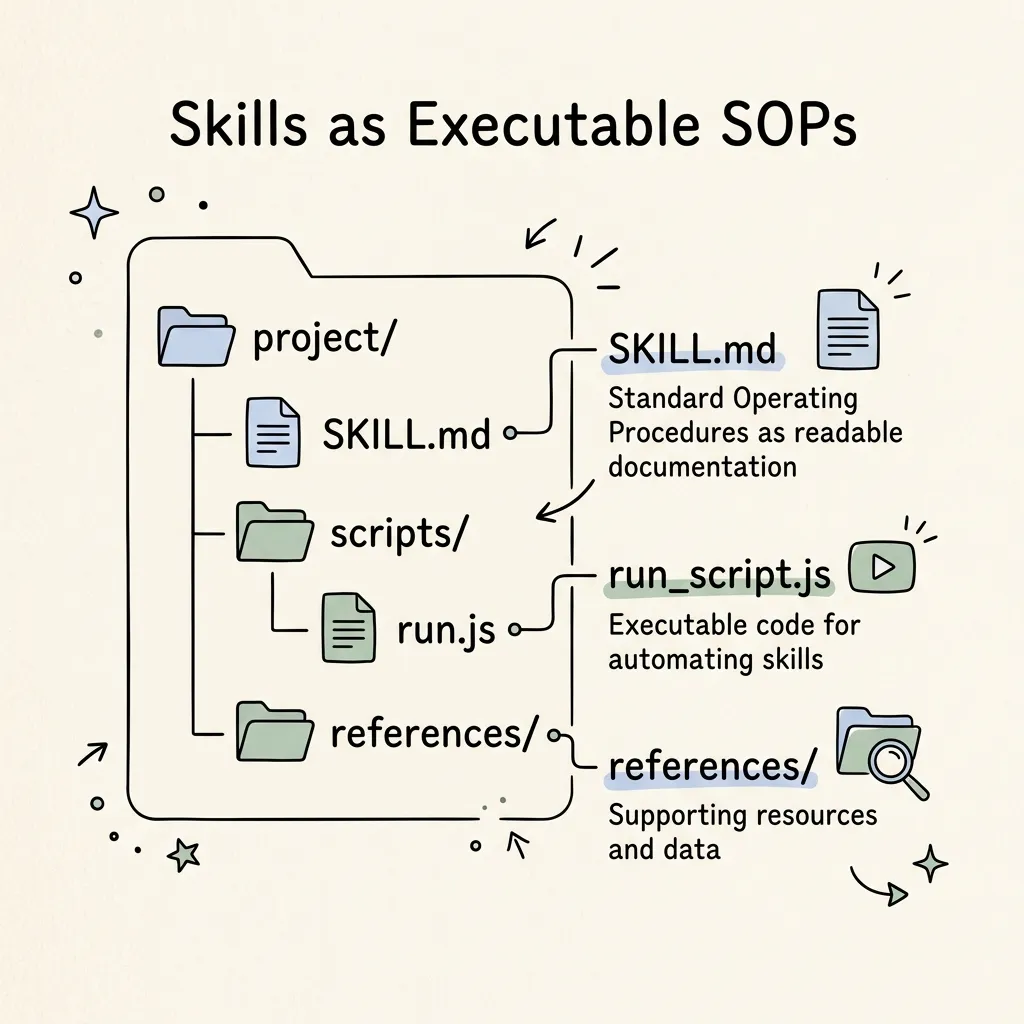
Example Skill Schema: content-post.md
# Skill: content-post
- Trigger: User requests a draft post for X.
- Soul Rules:
  - Write in short, declarative sentences.
  - No em-dashes, no adverbs.
  - Hook must feature a bold, caps-lock subject.
- Process:
  1. Retrieve trending metrics from X search.
  2. Write a draft and evaluate on scroll-stop score (1-10).
  3. If score < 8, rewrite.
  4. Write final copy to clipboard and open X.
By telling the agent: “Use the content-post skill for today’s draft,” the agent loads the exact directory files, imports dependencies, and executes the sequence without requiring manual prompting.
8. Multi-Agent Profiles: Segregation of Duties
An agent should not share the same system rules, tools, and context memory for completely different business functions. Instead, split your workflows into isolated Profiles.
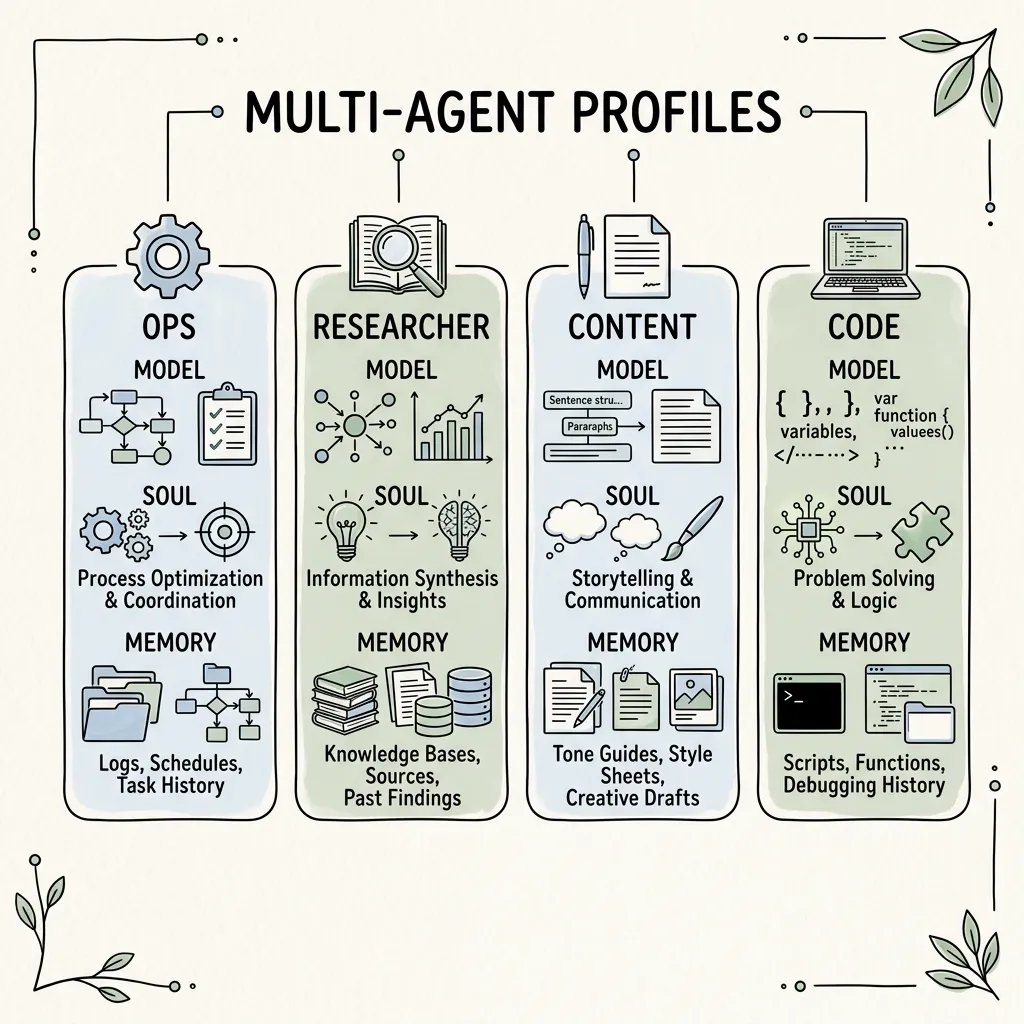
Each profile functions as a distinct specialist, configured with specific models, permissions, and tool schemas:
| Profile | Soul / Core Focus | Recommended Model | Tools / Permissions |
|---|---|---|---|
content-lead | Generates engaging technical threads and posts | claude-3-5-sonnet (Creative Writing) | X Search, Web Search, R2 CDN |
researcher | Objective fact-gathering, academic parsing | gpt-4o / gemini-1.5-flash | Firecrawl, Exa, Academic APIs |
ops | Administrative tasks, calendar, email inbox triage | gpt-4o-mini (Cost-efficient) | Google Calendar, Gmail, Notion |
code-reviewer | Code sanity reviews, security reviews | claude-3-5-sonnet / deepseek-coder | GitHub API, Local Terminal |
9. Horizontal Comparison: Cron Jobs vs. Webhooks
To determine the optimal waker trigger for your autonomous tasks, review this comparison matrix:
| Dimension | Cron Jobs (Time-Triggered) | Webhooks (Event-Triggered) |
|---|---|---|
| Trigger Source | System internal clock | External application payload (Make, n8n) |
| Latency | Polling interval dependent (e.g. 10m, 1h) | Instantaneous (< 5 seconds) |
| Inference Cost | Constant (runs regardless of state changes) | Dynamic (runs only when events happen) |
| Setup Complexity | Low (plain-English schedule commands) | Moderate (requires webhook route configs) |
| Best Match For | News digests, weekly audits, metric updates | Lead generation, code PRs, instant alerts |
10. Architectural Boundaries & Final Assessment
When to Segment Profiles:
- Context Budgeting: If an agent has access to 50 tools, the system instructions bloat, diluting the attention mechanism. Split them so each profile has under 10 specialized tools.
- Cost Optimization: Do not route simple daily checks to expensive reasoning models. Use lightweight models for cron jobs, and invoke advanced models only for complex
/goalreviews. - Security & Permissions: Keep profiles that have terminal write permissions isolated from profiles that scrape third-party web content to prevent prompt-injection attacks.
Useful AI agent deployment is defined by isolated skill directories, decoupled memory paths, and partitioned profiles. Stacking these structural patterns turns Hermes from a chat app into a reliable background system.