n8n vs Dify: A Deep Dive and Comparative Analysis
n8n vs Dify: A Veteran Engineer’s Hands-on Comparative Report
As a veteran with over a decade of experience in the automation field, I’ve spent the past few months deeply exploring two highly anticipated platforms: n8n and Dify. Honestly, I initially approached them with a skeptical mindset, thinking “here we go again with two more hyped-up tools.” However, after months of practical project validation, I must admit that these platforms each have their unique strengths and perform exceptionally well in certain scenarios.
Today, I’ll share my genuine user experience, providing a balanced analysis of the advantages and disadvantages of these two platforms from a practitioner’s perspective.

First Impressions: Two Radically Different Design Philosophies
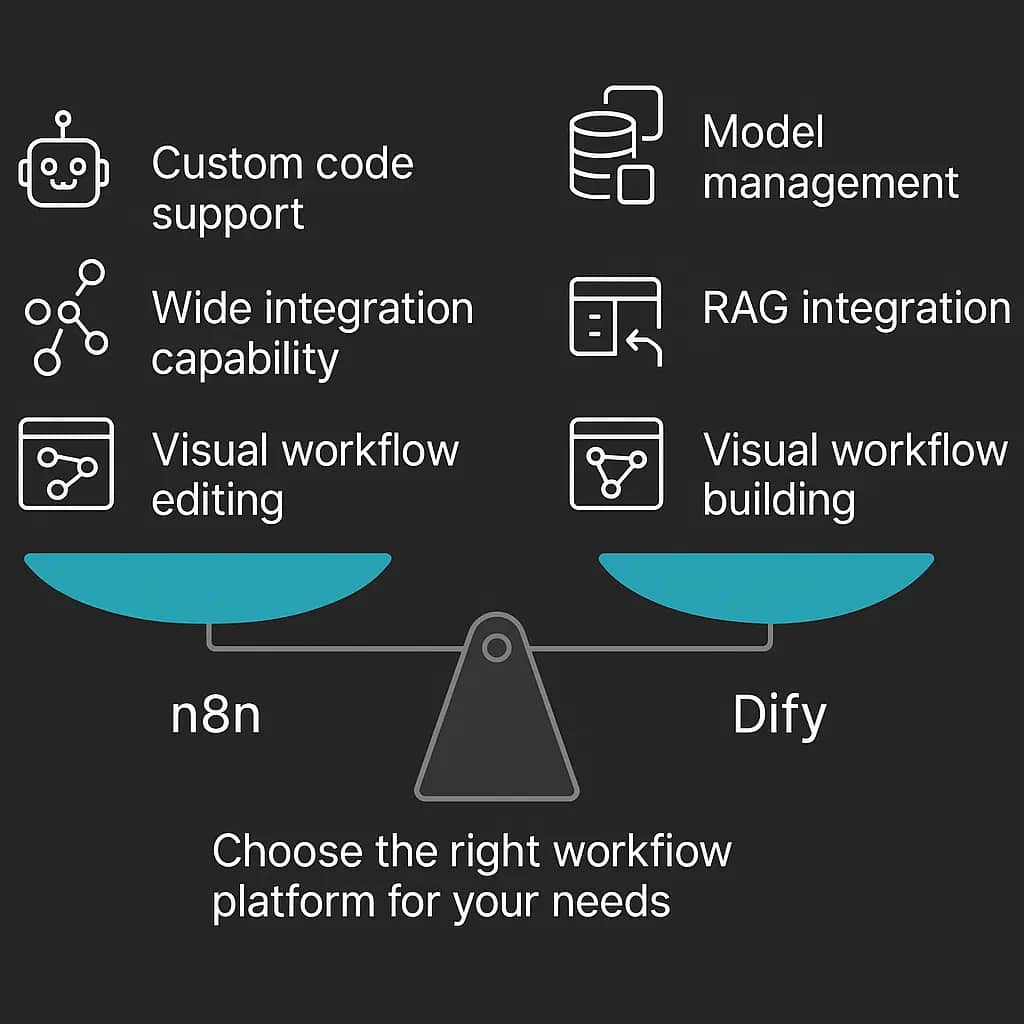
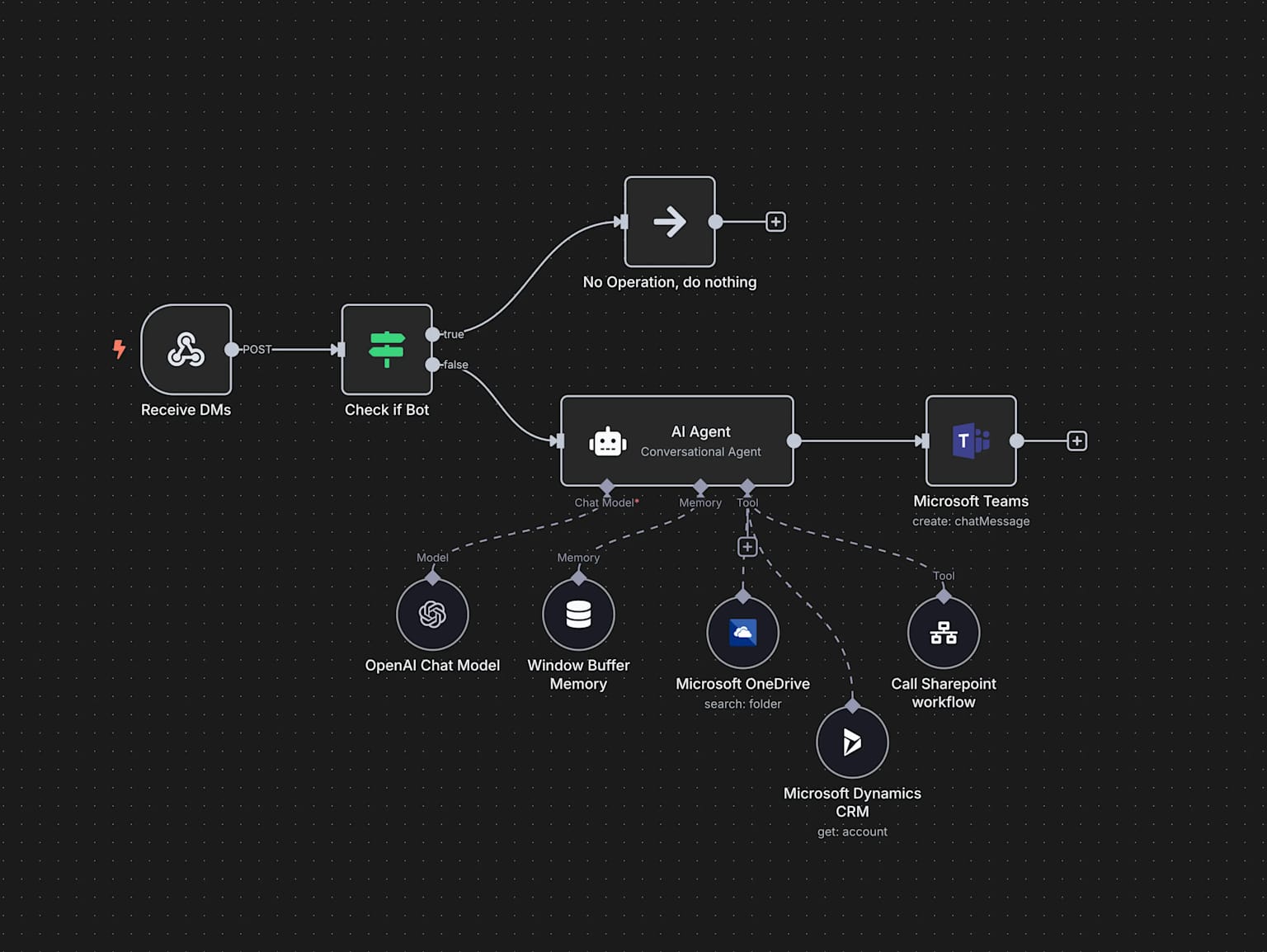
When I first opened n8n, it felt like returning to a familiar development environment. The entire interface is filled with engineering thinking: nodes, connections, triggers - everything is logically clear[^2_4][^2_8]. Dify gave me a completely different feeling; it’s more like a tool designed for product managers and business professionals, with a clean interface and intuitive operations.
From an architectural design perspective, n8n follows the traditional workflow automation approach, focusing on system integration and data flow. Its 400+ pre-built nodes cover almost all mainstream SaaS services and API interfaces. Dify, on the other hand, takes an AI-native approach, built from the ground up around large language models.

n8n Deep Dive: New Vitality for a Veteran Automation Tool
Core Capability Validation
After three months of intensive use, I deployed n8n internally at my company, primarily testing it in the following scenarios:
Data Integration Pipeline: We had a typical requirement to synchronize customer data from Salesforce to our internal CRM system while also updating our inventory management system. Implementing this process in n8n was quite straightforward:
- Salesforce trigger monitoring data changes
- HTTP request node calling internal API
- Data transformation node handling format differences
- Conditional logic node handling exceptions
- Slack notification node sending processing results
The entire workflow setup took less than 2 hours, whereas with traditional ETL tools, it might have required a week of development time.
AI Capability Integration: What impressed me most was n8n’s AI Agent node introduced in the latest version. I attempted to build an automated customer support workflow: when users send emails to support@, the system automatically calls OpenAI’s API to analyze the issue type and route it to different processing workflows. This combination of AI and automation opened up new possibilities.
Technical Architecture Advantages
n8n’s tech stack is quite solid, built on Node.js with support for custom code nodes. During actual usage, I discovered several notable advantages:
- Exceptional Extensibility: When pre-built nodes don’t meet requirements, you can directly write JavaScript or Python code, which is very developer-friendly
- Stable Performance: Performs well when processing large volumes of data; we’ve tested scenarios with 100,000 records in a single run
- Flexible Deployment: Supports multiple deployment methods including Docker and Kubernetes, with comprehensive enterprise-grade features

Real-world Pain Points
Of course, n8n isn’t perfect. During usage, I encountered several notable issues:
- Steep Learning Curve: Non-technical users need time to understand the data flow relationships between nodes
- High UI Complexity: When workflow nodes exceed 50, the canvas becomes quite cluttered
- Difficult Error Debugging: Troubleshooting complex workflows when errors occur can be time-consuming
Dify Deep Dive: A New Paradigm for AI-native Applications
Out-of-the-box AI Capabilities
What impressed me most about Dify was its native support for AI capabilities. Without complex configuration, you can build an intelligent customer service bot in minutes. I used it to create several typical AI applications:
Enterprise Knowledge Base Q&A System: Upload company technical documentation and FAQs, and Dify automatically performs vectorization processing and index building. When users ask questions, the system accurately retrieves relevant content and generates answers. The entire process requires no coding, which is a blessing for product teams.

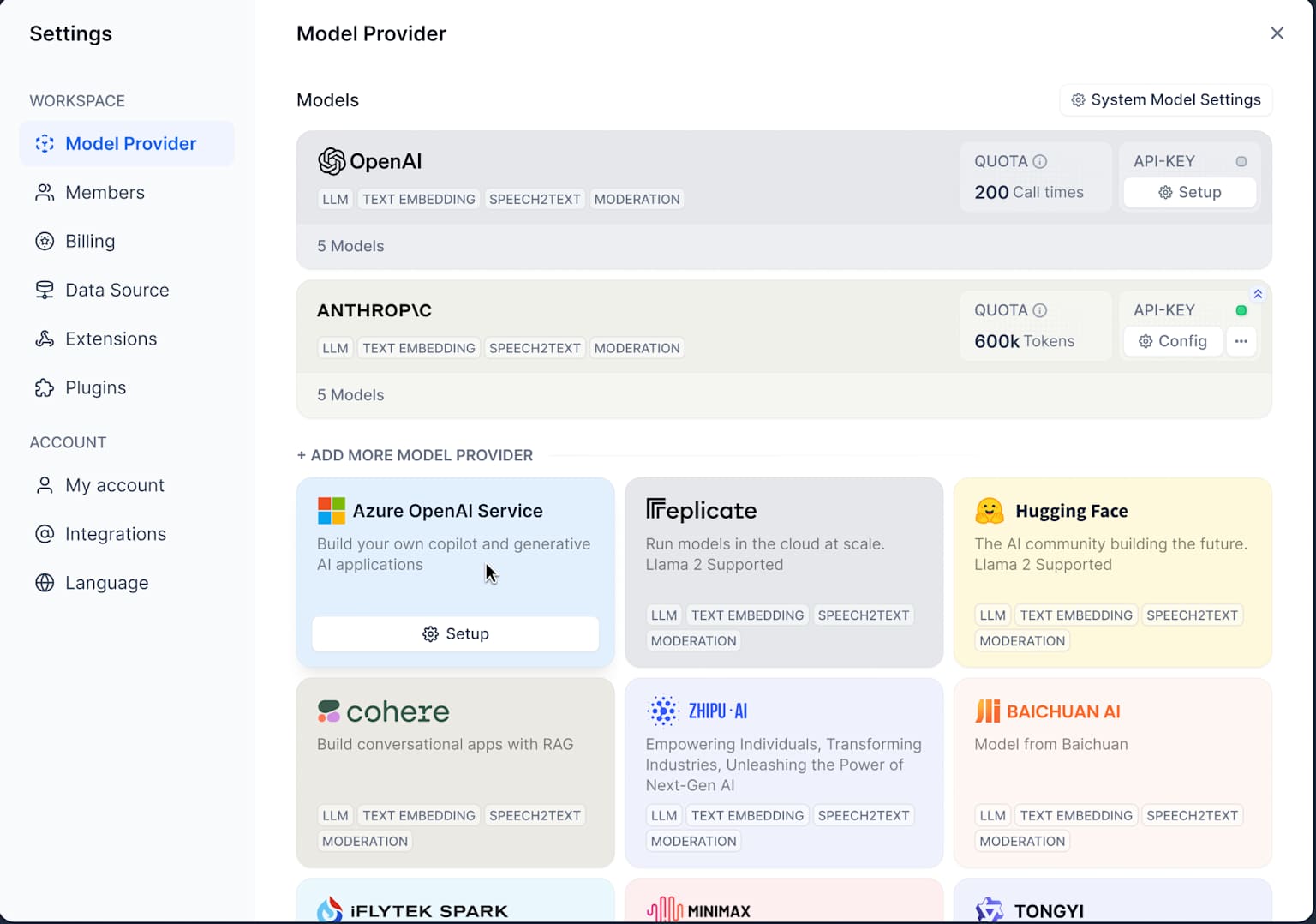
Multi-model Management Platform: Dify supports simultaneous integration of multiple AI models, including OpenAI, Claude, and domestic large models. In actual projects, we can choose the most suitable model for different scenarios, with flexible cost control and performance optimization.

Practical Application of RAG Technology
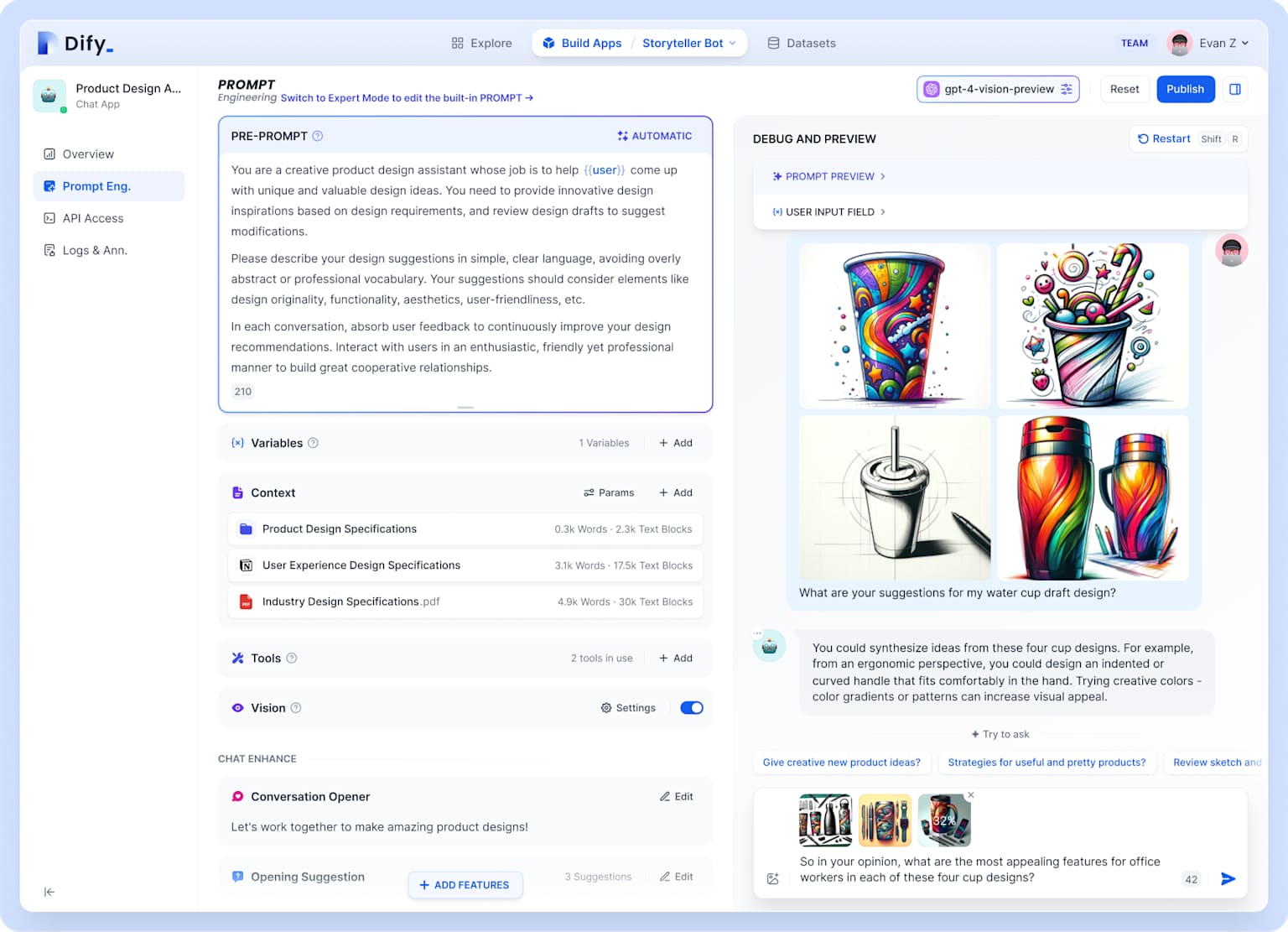
Dify’s RAG (Retrieval-Augmented Generation) feature left a strong impression on me. Previously, building a RAG system required handling a series of complex processes including document parsing, vectorization, and retrieval. Now in Dify, it only takes a few configuration steps:
- Upload documents (supports PDF, Word, TXT formats)
- Choose segmentation strategy
- Configure retrieval parameters
- Integrate into conversation flow
This simplification dramatically lowers the barrier to AI application development, enabling even product managers without AI backgrounds to quickly get started.

Workflow Orchestration Capabilities
While Dify’s Workflow feature has fewer nodes than n8n, it’s deeply optimized for AI scenarios. In practical use, I found it excels in the following areas:
- Prompt Engineering: Built-in prompt editor and version management features are very practical
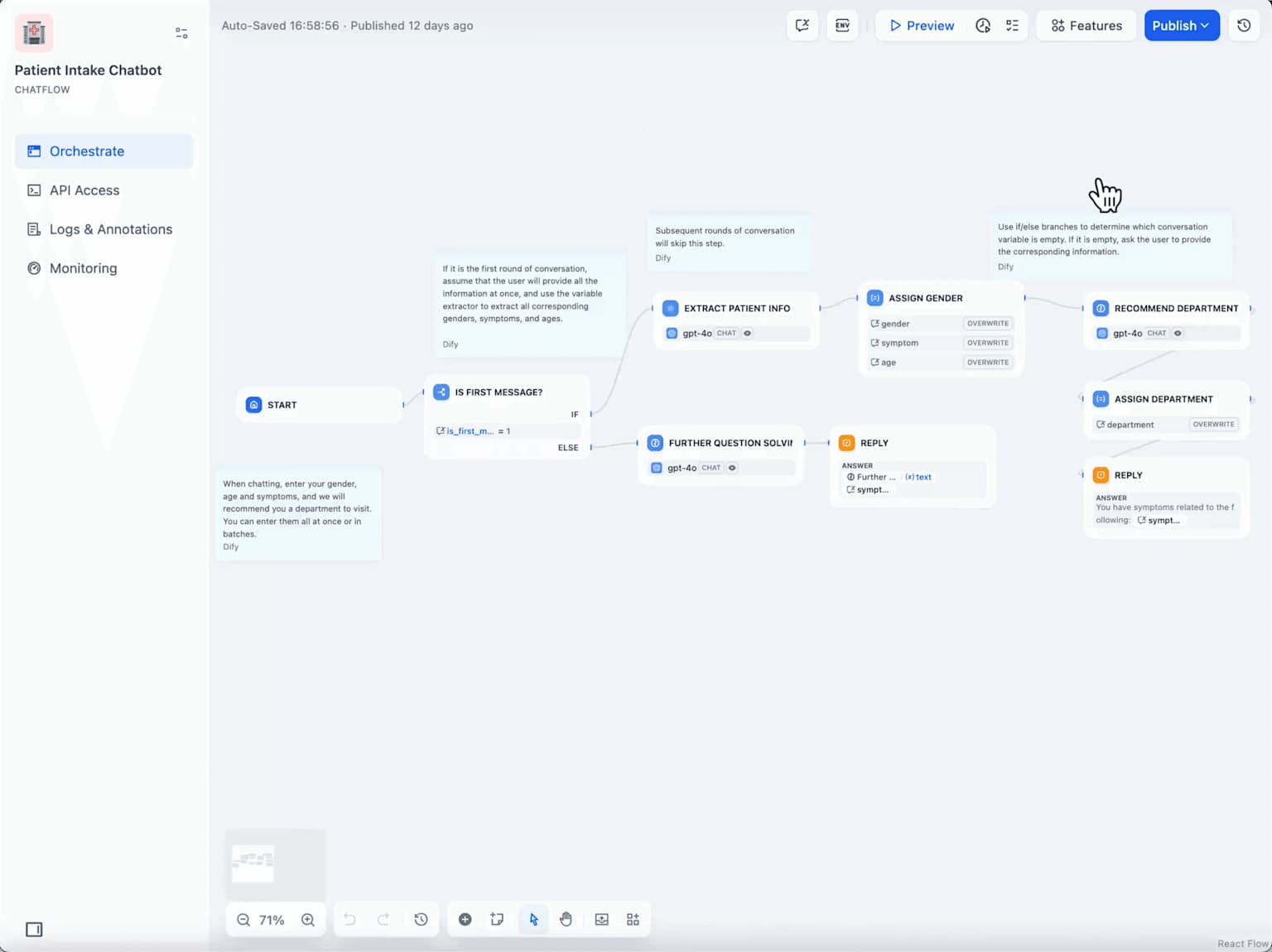
- Conversation Flow Design: Chatflow mode is particularly suitable for building complex dialogue logic
- Model Switching: Different AI models can be used at different steps

Deep Comparison: Context Determines Choice
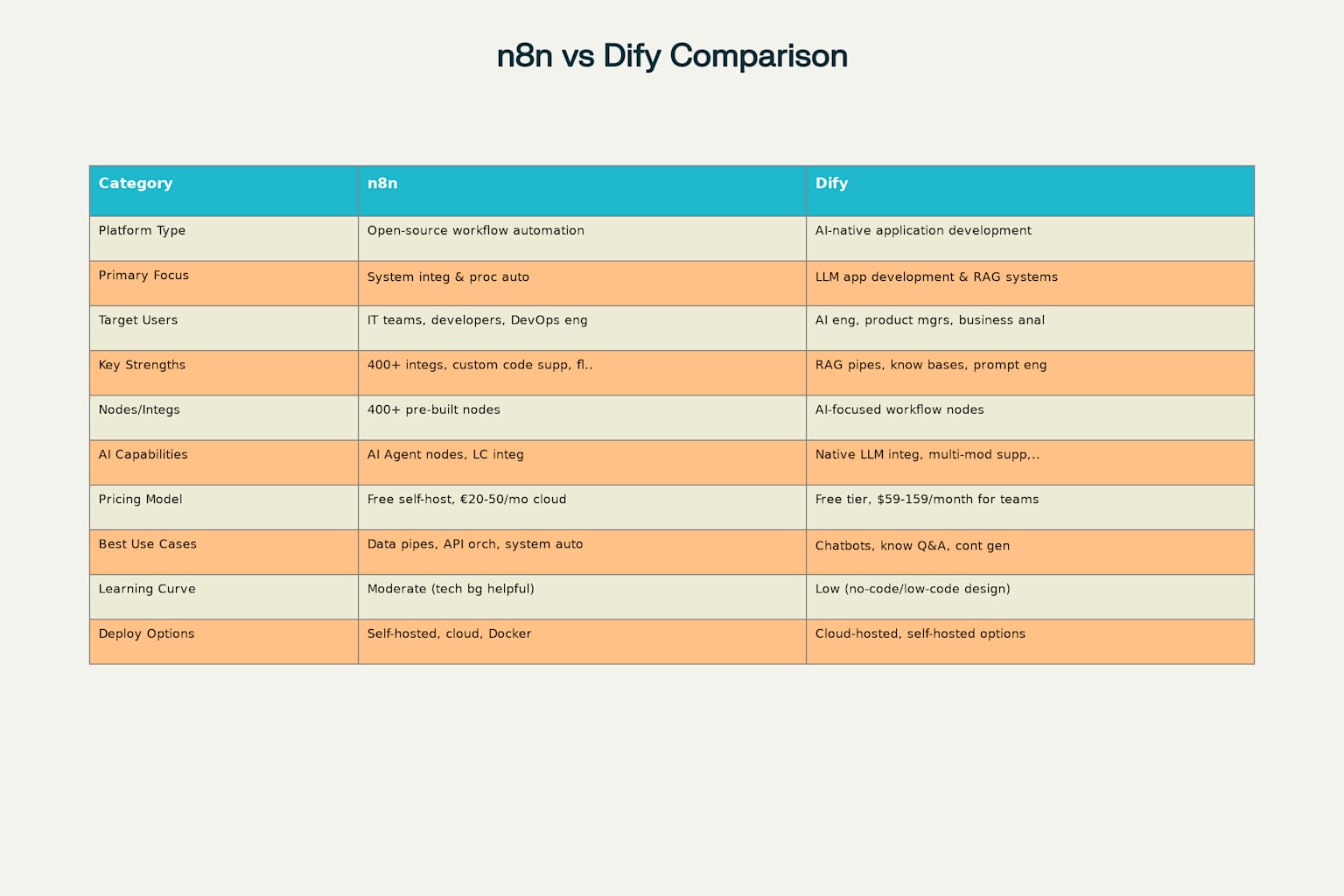
After months of parallel usage, I’ve summarized the core differences between the two platforms:

Technical Complexity Comparison
From a technical barrier perspective, n8n is more suitable for teams with some technical background. Although it provides a visual workflow editor, to truly harness its power, one still needs to understand technical concepts like HTTP protocols, JSON formats, and API calls.
Dify truly achieves low-code or even no-code development. Even users with no programming experience can build AI applications through drag-and-drop and configuration. This difference determines that the two platforms have completely different target audiences.
Integration Capability Comparison
n8n is absolutely dominant in system integration, with its 400+ pre-built nodes covering virtually all mainstream SaaS services on the market. It also supports custom node development with exceptional extensibility.
Dify’s integration capabilities are relatively limited, primarily focusing on integration with AI models and vector databases. However, in AI application development, its professionalism is unmatched by n8n.
Performance and Stability
In actual testing, both platforms performed well. n8n showed stable performance when handling large-scale data flows, with tests of continuous 72-hour operation processing hundreds of thousands of records.
Dify has made many optimizations in AI inference performance, supporting streaming output and batch processing with satisfactory response speeds.
Cost Analysis: More Than Just Price Comparison
Direct Costs
From a pricing perspective, n8n’s cloud service starts at €20/month, with a maximum of €50/month. Dify’s team plan starts at $59/month, with a maximum of $159/month.
Dify appears more expensive, but this comparison isn’t fair. Since the two platforms have completely different functional positioning, directly comparing prices is meaningless.
Hidden Costs
More importantly, there are hidden costs. Using n8n requires continuous investment from technical teams, including workflow design, maintenance, and troubleshooting. Dify’s low-code characteristics allow product teams to get started directly, reducing dependence on technical resources.
From an ROI perspective, if your goal is to quickly validate the business value of AI applications, Dify is clearly more suitable. If you’re building complex enterprise-level automation systems, n8n may have lower long-term costs.
Collaborative Usage: The Possibility of 1+1>2
In actual projects, I found that n8n and Dify can actually work together very well.
A typical scenario is an intelligent customer service system:
- User questions are first processed by Dify, leveraging its powerful AI capabilities for intent recognition and initial responses
- For complex issues requiring human handling, Dify passes structured data to n8n via API
- n8n handles subsequent business process automation: creating tickets, assigning to appropriate teams, sending notifications, etc.
- Data and feedback from the entire process can flow back to Dify to optimize AI response quality
This collaborative usage fully leverages the strengths of both platforms, achieving true end-to-end intelligence.

Practical Recommendations: How to Choose and Get Started
Based on my actual usage experience, here are my recommendations:
When to Choose n8n
- Team has some technical foundation
- Need complex system integration
- High requirements for workflow flexibility
- Significant needs for API calls and data processing
When to Choose Dify
- Want to quickly build AI applications
- Team has limited technical expertise
- Primary needs are AI functions like intelligent Q&A and content generation
- Need to quickly validate business value of AI applications
Recommended Onboarding Paths
Getting Started with n8n:
- Start with simple HTTP requests to understand nodes and data flow concepts
- Gradually add logical nodes like conditional logic and loops
- Learn error handling and monitoring setup
- Try custom code nodes
Getting Started with Dify:
- First experience the pre-built application templates
- Try uploading your own documents to build a knowledge base
- Learn basic prompt engineering techniques
- Explore characteristics and use cases of different AI models
Conclusion: The Philosophy of Tool Selection
After months of deep usage, my greatest insight is: there are no perfect tools, only suitable choices.
n8n and Dify represent two different technological approaches: traditional workflow automation and AI-native application development. Each excels in their respective domains, and the key is to choose based on your team’s actual situation and business requirements.
If your team is considering introducing automation or AI capabilities, my advice is: clarify your goals first, then choose tools. Are you solving system integration problems or building AI applications? Are you pursuing maximum flexibility or fastest delivery speed?
Once the answer is clear, the choice becomes straightforward.
Finally, I want to say that both platforms are still rapidly evolving. I believe that in the near future, they will go further on their respective paths, and I hope to see more integration and innovation emerge. After all, what users need is not competition between tools, but better solutions.